
Real terminals. Lasting sessions.
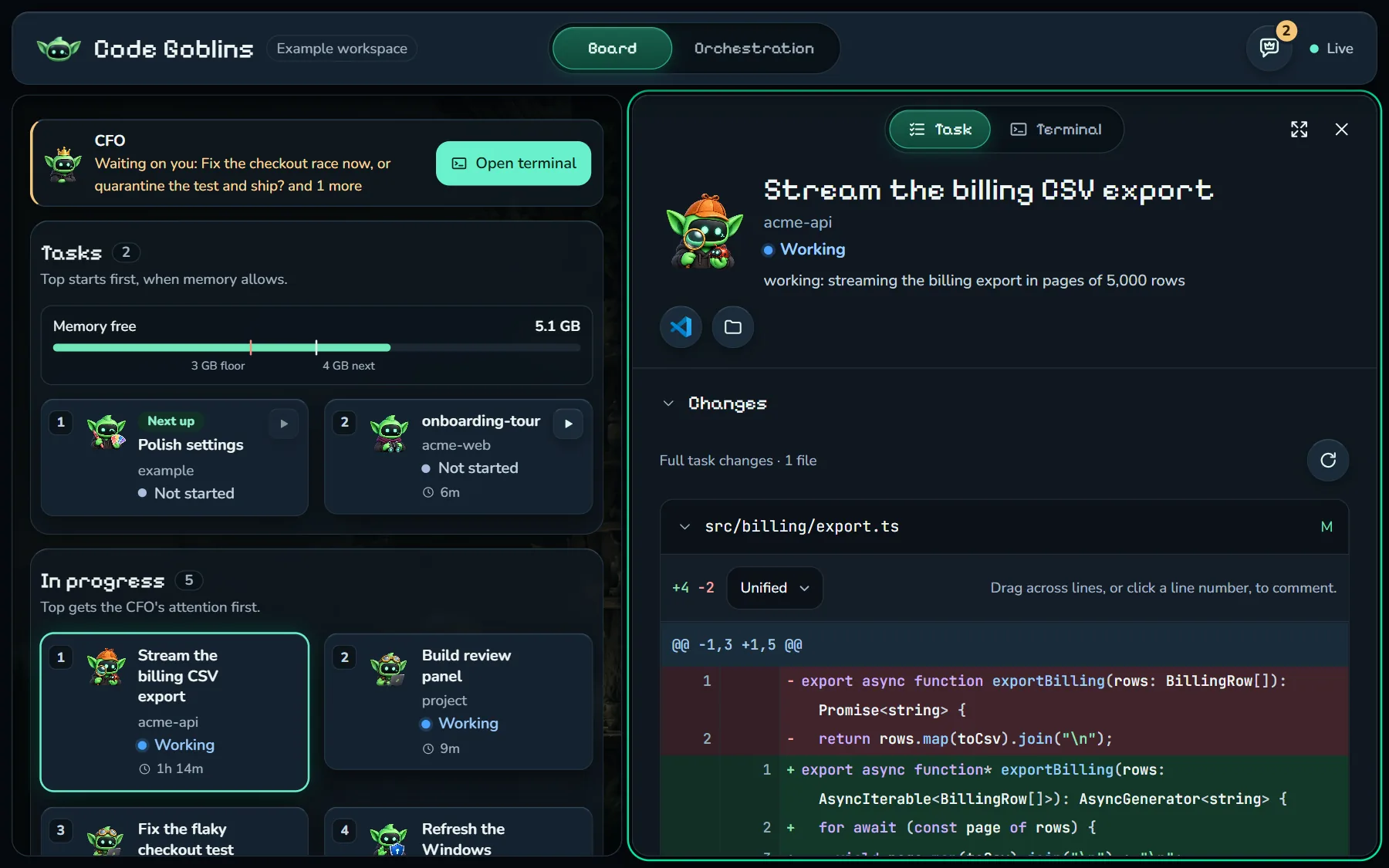
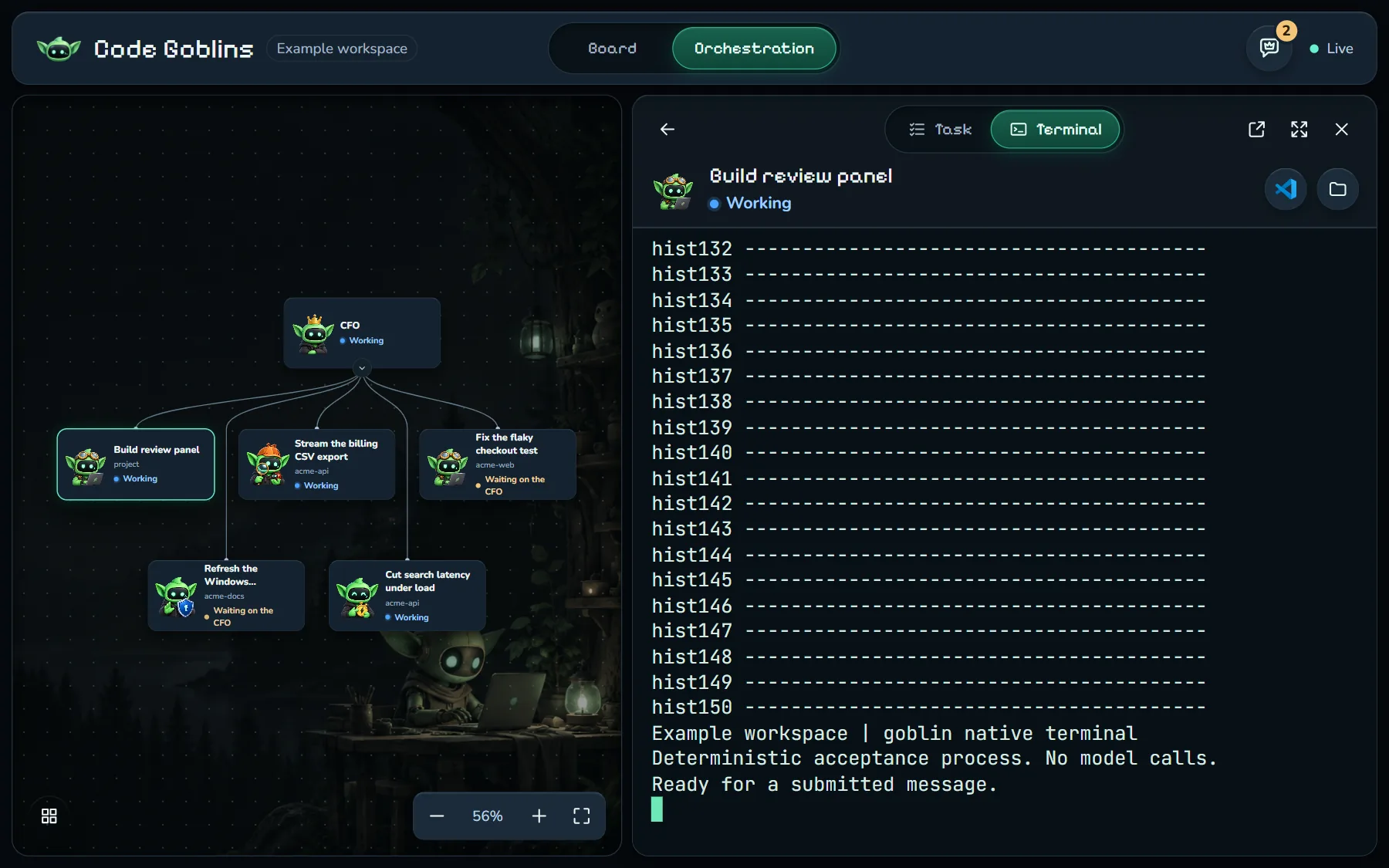
Each goblin runs in its own native Windows terminal and worktree. Close the board or a terminal window; the session keeps running.
 Code Goblins
One CFO plans, dispatches, and supervises your coding agents.
Native Windows sessions. Isolated worktrees. Verified delivery.
ONE SUPERVISOR. YOUR WHOLE CREW.
Each goblin runs in its own native Windows terminal and worktree. Close the board or a terminal window; the session keeps running.
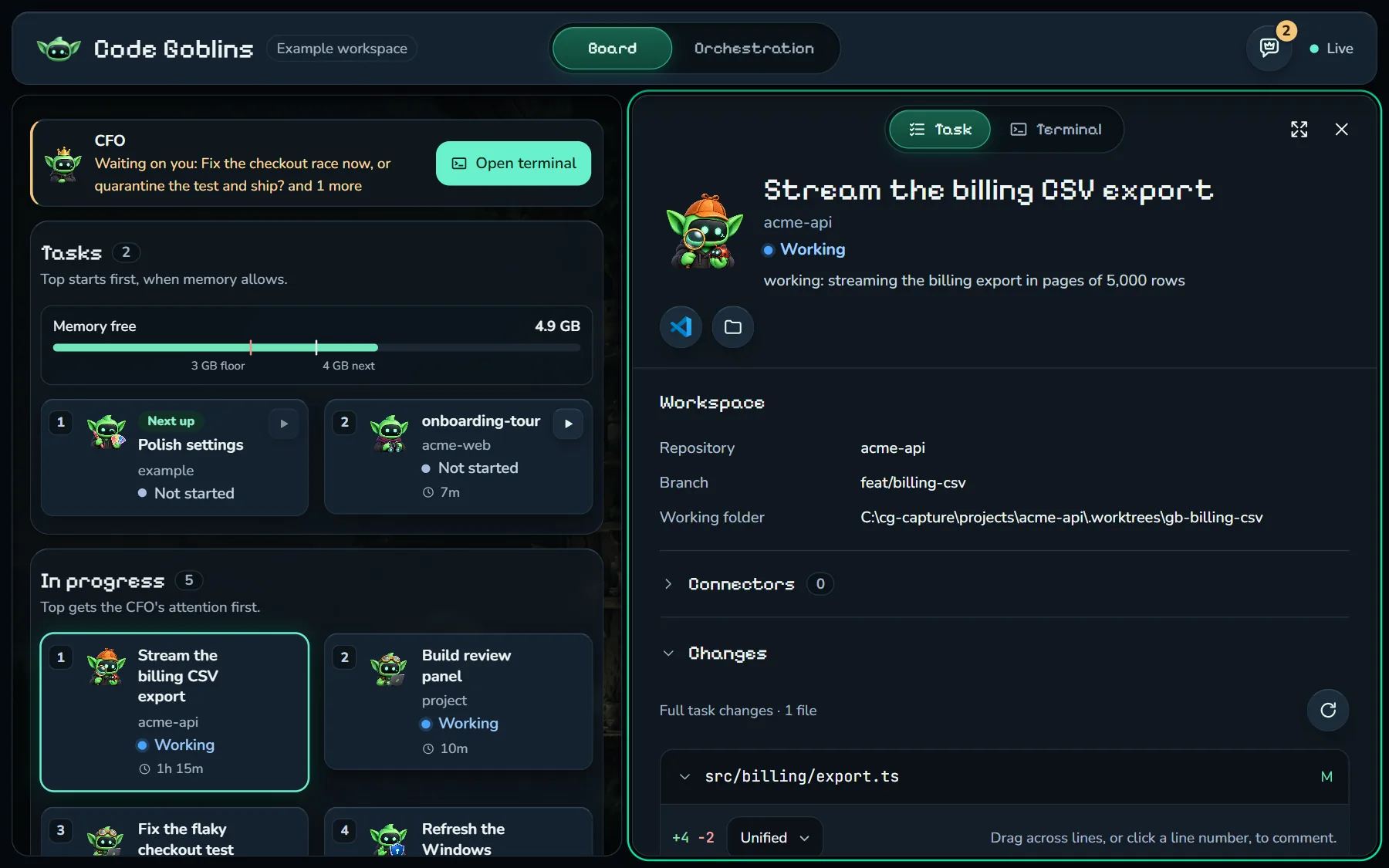
The Command Center brings together decisions, reviews, and setup requests. Comment on a diff and let the CFO direct the next change.
Independent review, bounded repairs, and project-specific checks cover the path from changed code to CI and production delivery.
WHY CHOOSE CODE GOBLINS?
Keep the workflow moving across tools and repositories, with the context, resource checks, and delivery evidence each task needs.
| As your work grows | How Code Goblins helps |
|---|---|
| Parallel work, separate workspaces. | Each goblin works in its own git worktree and native Windows terminal. Pause and resume a task without losing its branch, session, or unfinished changes. |
| The right tool for each task. | Route work to Claude Code, Codex, or Pi using the task, project settings, and available quota. Switch harness, model, or effort while keeping the same task and worktree. |
| Decisions without the terminal hunt. | The Command Center brings together questions, visual reviews, sign-in requests, credentials, and commands. Send an inline diff comment to the CFO with the exact lines attached. |
| Teammates need to see the work. | Check overlapping issues, pull requests, and branches before dispatch. In shared GitHub repositories, task tickets track progress and link the PR; public tickets require an explicit opt-in. |
| Long sessions, limited resources. | Task state and shared CFO memory stay on your machine across sessions. The board checks free RAM and commit memory before starting or resuming a worker, and closing it stops no tasks. |
| A green check is only part of delivery. | Bounded review and repair, tests, lint, CI, and project-specific deployment checks produce evidence. PR merges verify the exact checked commit; human approval remains the default. |
Your control plane, task history, and CFO memory stay local. Coding tools still connect to their model providers. Read the full README.
GET CODE GOBLINS
Run one command in PowerShell. The installer sets up your tools and opens the quick start.
MIT open source. Your coding providers’ plans and usage apply.
irm https://github.com/fpresta0607/code-goblins/releases/latest/download/install.ps1 | iexNo clone or Go installation needed. After setup, run goblins from any folder.
Use Claude Code for an automatically woken CFO. Codex and Pi supervisors receive fleet updates when you prompt them. Kimi worker sessions wait until native screens can be captured.
The installer verifies release checksums. Windows binaries are currently unsigned; the guide covers Windows prompts and setup requirements.